Learning Experience
What learning at NextStack actually looks like
Structured lessons, live instruction, real equipment, deliberate practice, and documented output. This page sets the expectation before you enrol in anything.
Student Stories
Hear it from the graduates
Nine NextStack graduates on what changed for them. Videos play on click — nothing loads until you choose to watch.
The Learning Stack
Theory Stack → Laboratory Stack → Simulation Stack
Every technical topic moves through the same three stacks. It is repetitive by design — that repetition is what builds professional habit.
Theory Stack
The concept and the engineering reasoning behind it, taught live — what the technology does, why the design exists, and where it breaks down.
Laboratory Stack
Hands-on work on real equipment. You handle the devices and build the configuration yourself, with the instructor correcting your approach, not just your output.
Simulation Stack
Real-world project scenarios simulated end to end — the site conditions, constraints, and faults of an actual deployment, worked through before you meet them on a client site.
What Students Can Expect
Ten things that are part of the experience
Not every element applies to every program — the three-day masterclasses are concentrated and in-person, while the Blueprint runs across the full 100 days.
Online learning platform
Structured lessons, materials, and activity tracking in one place, so you always know what comes next and what is outstanding.
Instructor-led technical lessons
Live teaching with an instructor present to answer questions in context — not pre-recorded videos with a comment box.
Theory integrated with simulation
Each concept is paired with a simulation of the behaviour, so you see what the protocol or system actually does before configuring it.
Real-equipment demonstrations
Configuration and installation performed on actual equipment, with the reasoning explained at every decision point.
Hands-on laboratory sessions
Scheduled in-person practical work where you handle the equipment yourself and produce a working result.
Scenario-based troubleshooting
Faults introduced deliberately so you practise the isolate-and-verify method instead of memorising fixes.
Projects and assessments
Work that produces deliverables, plus assessments that measure both understanding and practical application.
Templates and technical documentation
Working document templates you use during training and keep for real projects afterwards.
Peer accountability and community
A cohort at similar stages, where progress is visible and questions are asked openly rather than quietly abandoned.
Certificate of completion
Awarded on successful completion. NextStack makes no industry-accreditation claim — the evidence is the work you produced.
Professional Outputs
Become the job-ready professional employers are looking for
Build practical skills and produce real-world project documents that demonstrate what you can do — not simply what you studied. You’ll leave with portfolio-ready work you can confidently present during job interviews.
Employers don’t just want to hear, “I studied VLANs.” They want candidates who can present a VLAN plan, explain their design decisions, and show how they would implement it in a real network.
Network diagrams
Logical and physical topology drawings that another engineer can read without a phone call.
IP address plans
Structured addressing schemes with allocation logic, growth room, and documentation.
VLAN plans
Segmentation designs mapping VLANs to functions, subnets, and the reason each one exists.
Site-survey reports
Findings, measurements, constraints, and photographs recorded so a design can be built from them.
Bills of materials
Validated quantities and specifications, with allowances, ready to be priced.
Cabling schedules
Labelling and administration schedules linking outlets, panels, ports, and rooms.
Configuration backups
Saved device configurations, versioned and annotated as part of change discipline.
Troubleshooting reports
A record of symptoms, tests performed, evidence found, root cause, and resolution.
As-built documentation
What was actually installed, as opposed to what was originally drawn.
Project-turnover files
The complete handover pack: test results, as-builts, punch list, and maintenance notes.
The Learning Environment
Online for depth, in person for the hands
Some things genuinely learn better on a screen. Others do not learn at all without the equipment in front of you.
Online sessions carry the conceptual work, guided simulations, design exercises, and documentation practice. They are live and instructor-led, so questions get answered while the context is still fresh.
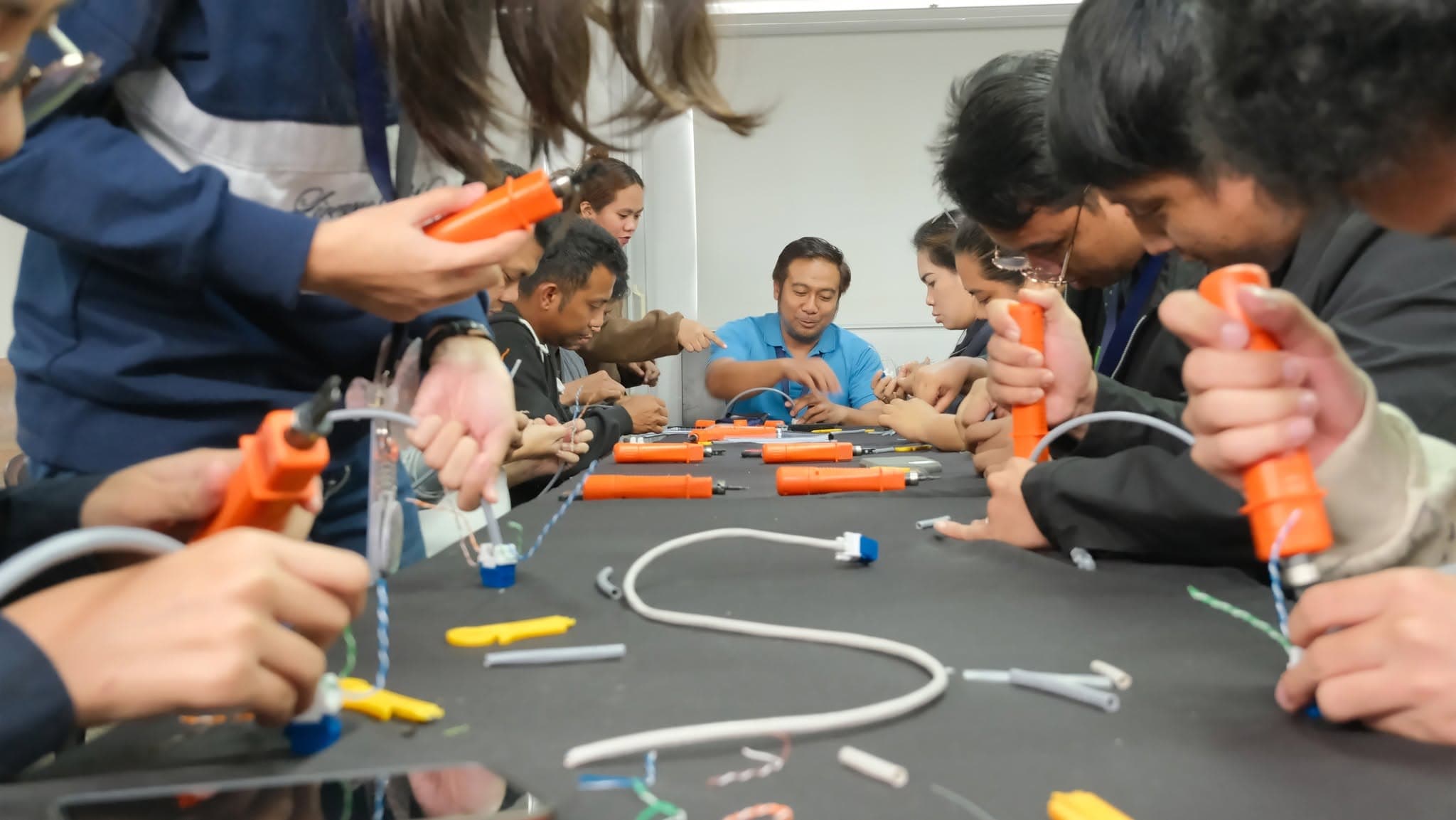
In-person sessions cover the physical work: handling equipment, terminating and testing, configuring live devices, tracing faults, and integrating systems that have to work together.
Both are held to the same standard. You are expected to produce something and to be able to explain it.
See the experience from the inside.
Pick the program that fits where you are, or ask us which one makes sense for your situation.